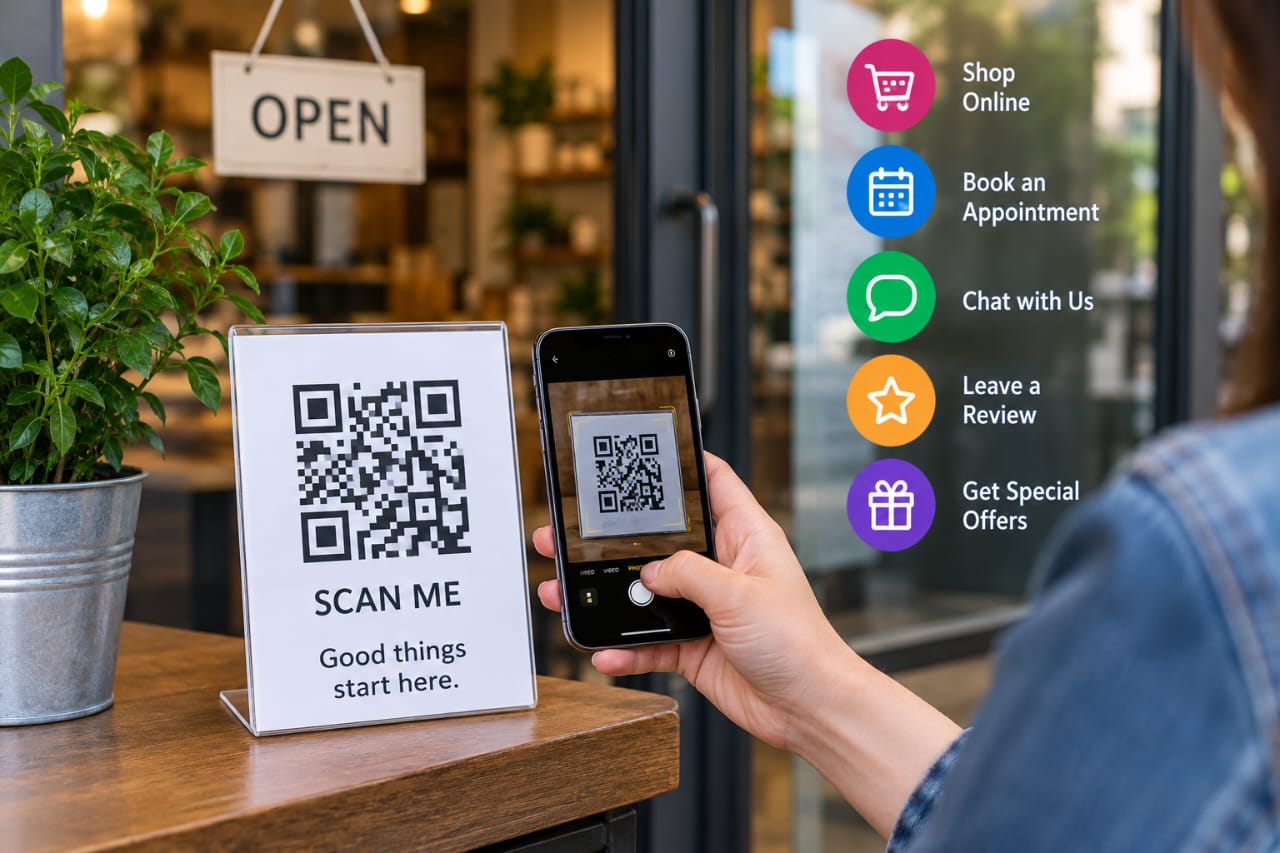
A QR code can turn a piece of paper, a shop window or a product package into a doorway to your business website. That simple connection is becoming more useful to marketers: in Bitly’s 2025 survey of 250 marketers, 93% said they had increased their QR code usage over the previous 12 months, while 86% planned to increase it further. Bitly’s research also found QR codes being used across product packaging, events, print advertising and in-store displays.
But putting a square pattern on a flyer does not automatically create customers. I have seen plenty of business promotions that effectively say, “Scan this,” without giving the person a useful reason to do it. The strongest QR campaigns start with the action you want the customer to take, then use the code as the bridge.
That could mean booking an appointment, claiming an offer, opening a menu, starting a WhatsApp conversation or leaving an honest review. Done properly, QR marketing connects offline attention with a measurable online action.
Key Takeaways
- Give every QR code one clear purpose and a compelling reason to scan.
- Send people to a fast, mobile-friendly destination rather than automatically sending them to your homepage.
- Use campaign tracking so you can see which physical promotions generate traffic and conversions.
- Test printed QR codes before distributing them widely.
- Protect customers from tampered or misleading QR codes, particularly when payments are involved.
Why QR Codes Work for Small Businesses
Small businesses often advertise in places where digital attribution is difficult. A customer might see a business card, poster or receipt today and visit the website tomorrow. Without some form of tracking, it can be difficult to connect that offline interaction to the eventual visit.
A QR code gives the customer a direct path. A restaurant table can link to a menu. A property sign can open a virtual tour. A barber’s checkout card can lead straight to an appointment page.
The important part is context. The QR code should make the next step easier, not add another step simply because the technology is available.
10 Practical Ways to Use QR Codes
1. Get more Google reviews
Google Business Profile lets businesses create a review link or QR code and suggests using it on receipts, thank-you emails, chat interactions and in-store displays.
Ask for an honest review after a genuine customer experience. Do not offer a discount or free product in exchange for a review. Google explicitly prohibits incentivised reviews and can impose restrictions on Business Profiles that violate its policies.
2. Offer a coupon
A QR code on a flyer becomes much more attractive when the customer gets something useful in return. Try “Scan for 10% off your first order” instead of simply “Scan here.”
3. Drive WhatsApp conversations
For businesses that rely on messaging, a QR code can take someone directly into a WhatsApp conversation. This works particularly well for enquiries, quotations, bookings and customer support.
4. Share menus and catalogues
Restaurants, salons, clothing stores and other retailers can use QR codes to make frequently changing information available without repeatedly printing it.
5. Collect leads
Send scanners to a short mobile form for consultations, event registrations, price requests or mailing-list signups. Keep the form simple. A customer who only wants a quotation probably does not want to complete twelve fields first.
6. Promote products
Put a QR code on packaging and link it to instructions, demonstrations, specifications, warranty registration or a reorder page.
7. Encourage repeat purchases
A receipt QR code could lead to a loyalty programme or a page featuring the customer’s next-purchase offer.
8. Make bookings easier
Healthcare practices, beauty businesses, consultants and service providers can use QR codes to remove friction from appointment scheduling.
9. Promote events
Use QR codes on posters, invitations and printed tickets to send people to registration pages, schedules, directions or event updates.
10. Connect physical advertising to digital content
A poster does not have to stop at a phone number. A QR code can take someone to a demonstration video, product comparison, special landing page or detailed guide.
Static or Dynamic QR Codes?
A static QR code points directly to the information encoded into it. That makes it suitable for a permanent destination, such as a business website URL that you expect to keep unchanged.
A dynamic QR code generally uses a redirect, allowing the destination to be changed later. That is useful for seasonal offers, restaurant menus, events and campaigns where the printed code may stay in circulation after the original page changes.
Do not assume dynamic is automatically better. If you only need a permanent link, static can be perfectly adequate. Choose based on whether you need destination changes, campaign management or scan analytics.
How to Create a QR Code Marketing Campaign
- Pick one goal. Decide whether you want bookings, reviews, sales, enquiries or another measurable action.
- Create the destination. Build a page designed for mobile users and aligned with the promotion.
- Add tracking. Google Analytics supports UTM parameters such as
utm_source,utm_mediumandutm_campaignfor identifying campaign traffic. See Google’s URL builder guidance. - Generate the QR code. Use a reputable generator and keep strong contrast between the code and its background.
- Print and test it. Scan it from the real distance and angle customers will use.
- Measure what happens next. Look beyond scan counts. Track visits, form submissions, bookings, purchases or whatever outcome supports the campaign.
Make the Landing Page Better Than the QR Code
The QR code gets attention, but the destination does the selling.
Imagine a restaurant poster advertising a lunch special. The customer scans the code and lands on a cluttered homepage, searches through several menus and finally gives up. The code worked technically, but the campaign failed practically.
A better journey is:
- Poster: Scan for today’s lunch special
- QR code: opens a dedicated mobile page
- Landing page: displays the offer immediately
- Call to action: Order now or Reserve a table
That same principle works for nearly every small business. Match the destination to the promise on the printed material.
Do Not Forget QR Code Security
QR codes are useful, but they are not inherently trustworthy. On September 3, 2026, the U.S. Federal Trade Commission warned about scammers placing fraudulent QR codes over legitimate ones, including codes used for parking payments.
That is a useful lesson for businesses using QR codes in public places. Inspect physical signs regularly, especially payment displays, and make the destination recognizable. Customers should also be able to preview the URL before following it.
For broader security guidance, the Australian Cyber Security Centre’s guidance on QR-code phishing explains how malicious QR codes can redirect users to fraudulent websites.
Common QR Marketing Mistakes
- Sending every scan to the homepage.
- Using vague calls to action such as “Scan me.”
- Making the code too small or difficult to scan.
- Skipping mobile optimisation.
- Printing thousands of copies before testing.
- Measuring scans without measuring conversions.
- Using QR codes for sensitive actions without considering security.
Accessibility deserves attention too. U.S. Section 508 guidance recommends providing descriptive text and an alternative way to access the information, rather than forcing people to rely exclusively on the QR code.
Build QR Codes Into the Customer Journey
The smartest way to use QR codes is to stop thinking about them as an end product. They are a small piece of a larger customer journey.
A successful campaign might look like this:
Flyer → QR code → offer page → WhatsApp enquiry → purchase → follow-up.
Another could be:
Receipt → QR code → Google review page → genuine customer feedback.
Once you start thinking this way, the question changes from “Where can I put a QR code?” to “Where does a customer need an easier next step?” That is a much better place to build a campaign. Resources such as Yohn.io QR code generator can also be useful when you’re looking for practical digital tools and resources to support your broader online strategy.
Final Thoughts
QR codes are cheap to create, easy to distribute and flexible enough for almost any small-business campaign. But their value comes from what happens after the scan.
Give people a clear reason to use the code. Send them somewhere useful. Make the experience fast on a phone. Track the campaign. Then improve what is not working.
That turns a little black-and-white square into something far more useful: a measurable connection between the physical places where customers encounter your business and the digital actions you want them to take.
References for Further Reading
- Bitly — From Scans to Strategy: How Marketers Use QR Codes in 2025
- Google Business Profile — Create a Google link or QR code to request reviews
- Google Analytics — URL builders and campaign tracking
- FTC — QR code scam warning

Discover more from Aree Blog
Subscribe now to keep reading and get access to the full archive.