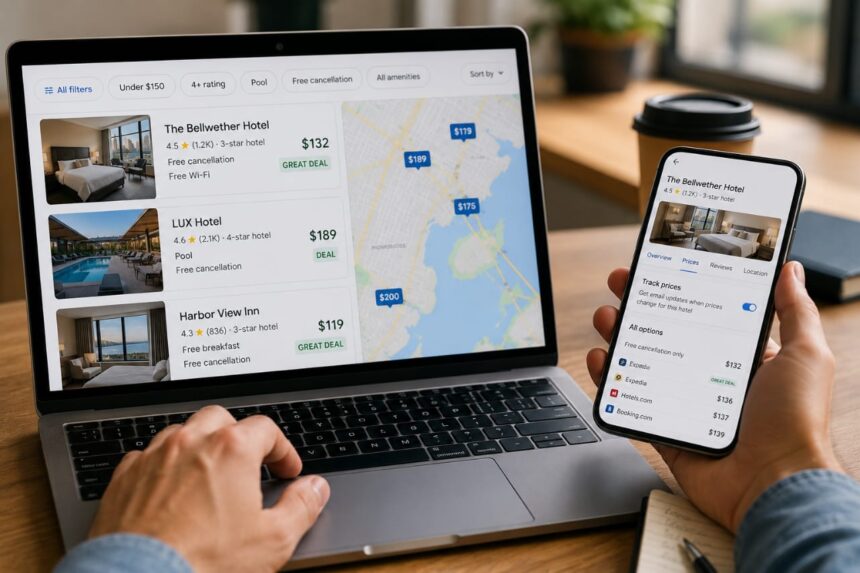
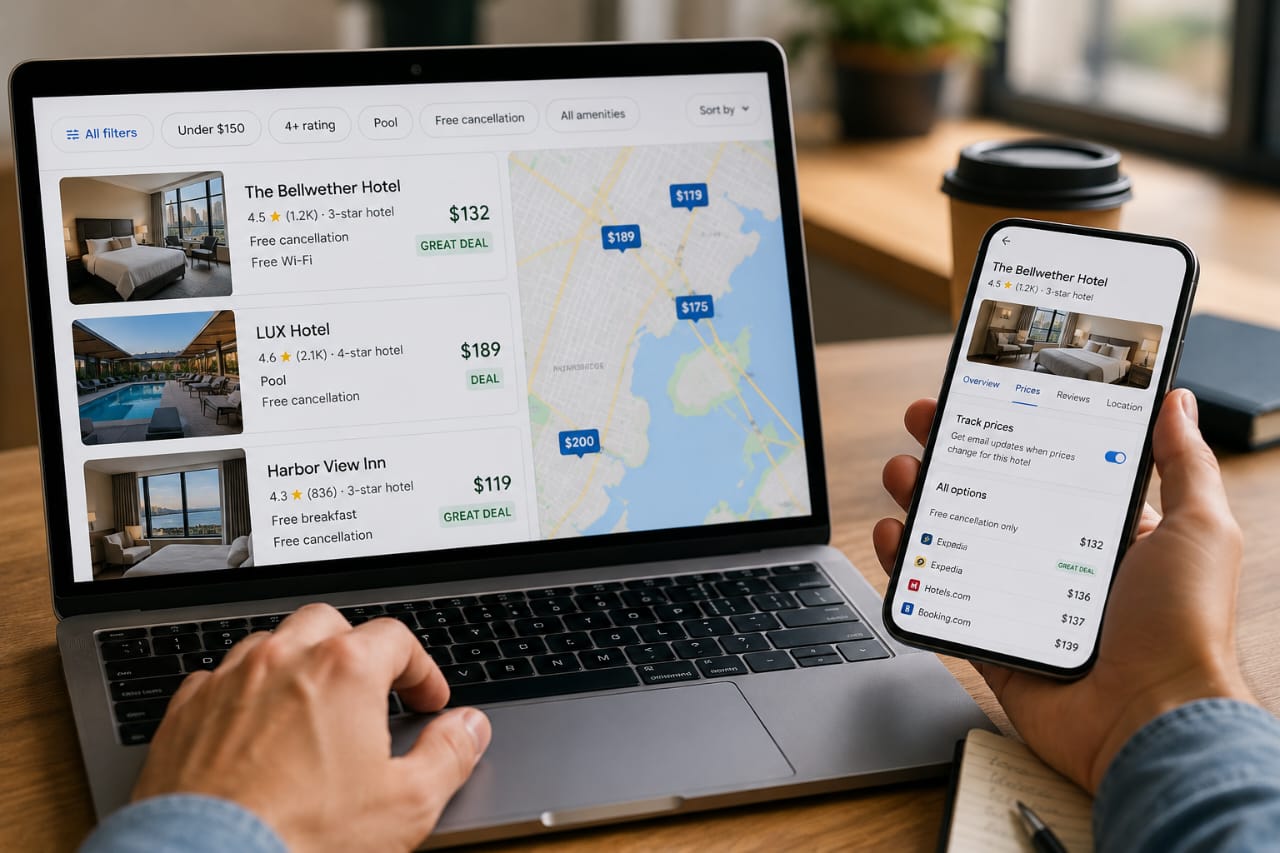
The easiest way to save money on a hotel booking is not always to hunt for a coupon. On Google Hotels, the better trick is reading the price signals Google already gives you: badges like “Deal” and “Great deal”, plus price tracking that can alert you when a rate drops for the dates you care about.
Google says a “Deal” appears at a 15% discount, while a “Great deal” shows at 25% off; it also now supports price alerts for individual hotels, not just whole destinations.
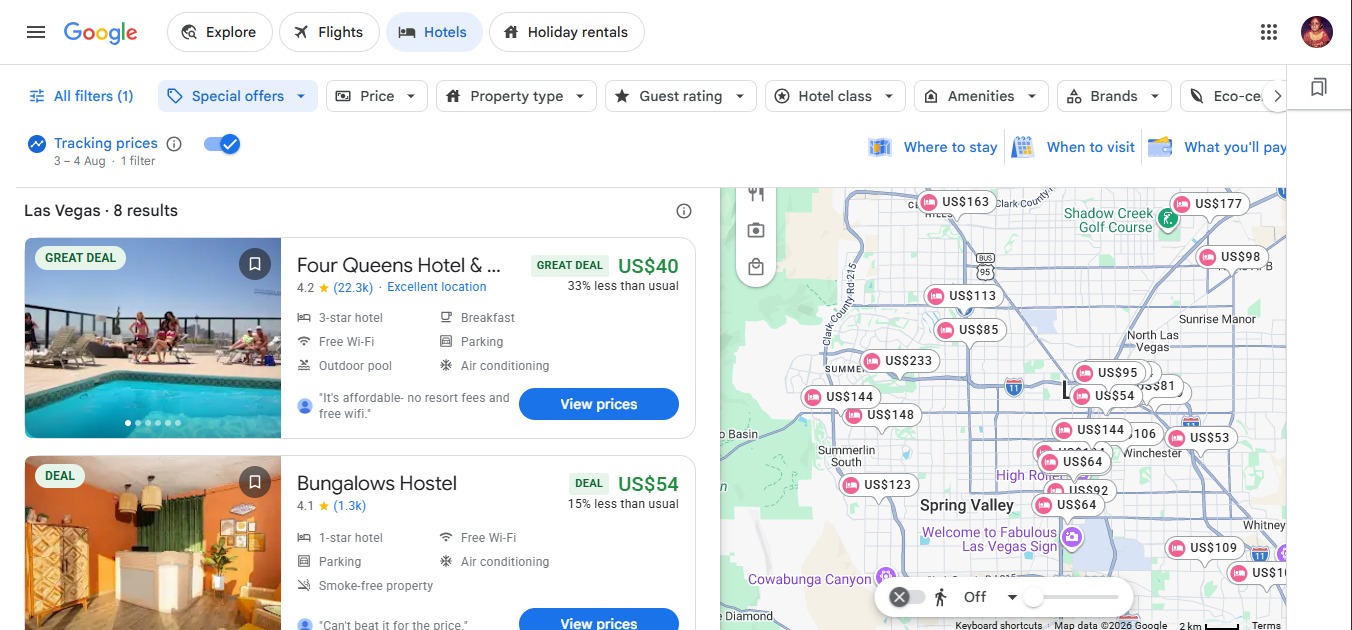
That is the whole game, really. Google Hotels is less about scrolling forever and more about narrowing the field fast: filter by price, rating, hotel class, amenities, and use the map to see where the value actually sits.
The useful bit is that Google does a lot of the sorting for you, then leaves you to decide whether the room, the location, and the cancellation terms are worth it.
What Google Hotels AI is Actually Doing
Google Hotels is not a standalone booking site pretending to be clever. It is a search layer on top of hotel inventory, reviews, prices, and availability, presented inside Google Search and Maps.
Google’s help pages show that hotel results can be filtered by price, rating, class, and amenities, and many listings display review summaries so you do not have to open every single property to get a feel for it.
That matters because cheap is not always cheap. A low nightly rate can turn into a poor deal once you add parking, breakfast, taxes, or a strict cancellation policy. Google’s value badges help, but the smartest use of Google Hotels is to treat it like a shortlist builder, then inspect the details before you pay.
How to Find Cheap Hotels with Google
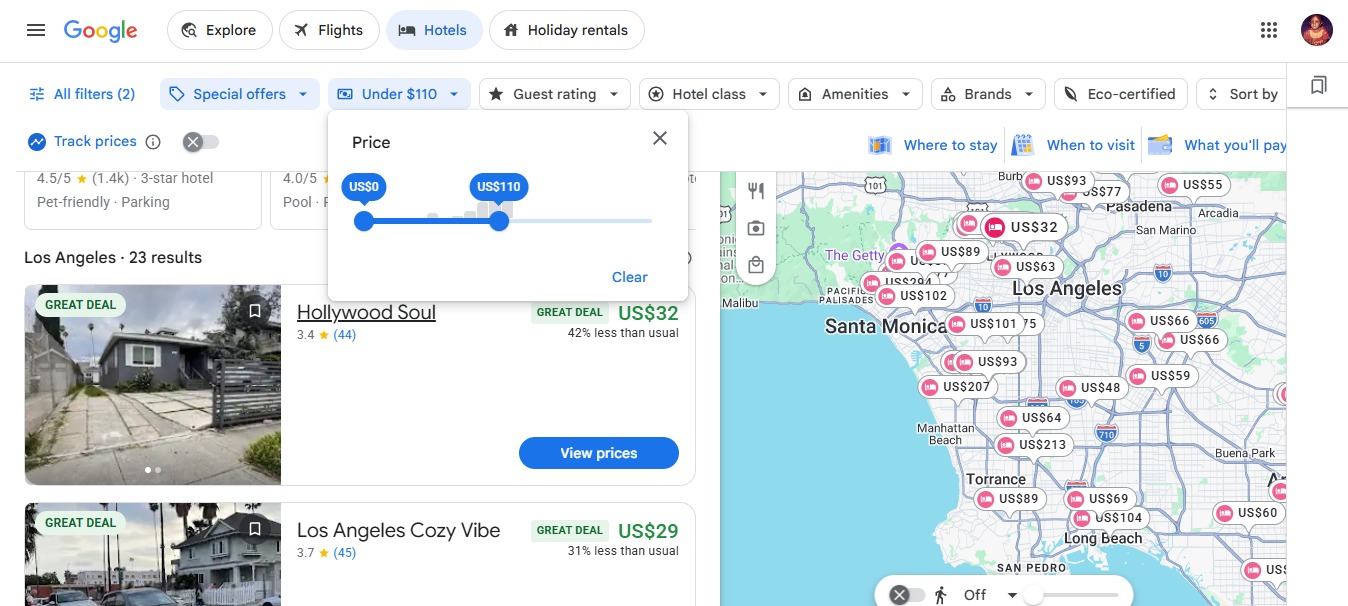
- Start broad, then narrow. Search your destination in Google Hotels and let the map and filter bar do the first pass. Google supports filtering by price, hotel class, user rating, and amenities, which makes it easier to cut out obvious mismatches early.
- Look for the badge, not just the headline price. A hotel marked “Deal” or “Great deal” has already been flagged by Google as unusually good value compared with its usual pricing. Google’s own definitions say “Deal” means 15% off and “Great deal” means 25% off.
- Turn on price tracking. Google now lets you track prices for an individual hotel and get email alerts when rates change significantly for your chosen dates. On desktop, you can do this from the hotel page; on mobile, Google places the option under the Prices tab.
- Use flexible dates when your plans are loose. A one-day change can be the difference between a painful rate and a fair one. Google’s travel tools are built to surface lower prices when dates move, so it is worth checking nearby days before you lock in.
- Check the map before you book. Sometimes the cheaper hotel is a few streets farther out, not worse. Google explicitly supports map-based hotel searching, so you can compare neighbourhoods without opening a separate travel site.
Google Hotels vs Booking.com
This is not really a fight between rivals. It is more like two different jobs. Google Hotels is usually the better first stop when you want speed, a map view, and quick comparison across brands and booking partners.
Booking.com is often better when you are already close to booking and want to stay inside one marketplace for the final checkout flow. Google’s hotel results are built to surface rates from travel partners and direct booking links, so Google is doing the comparison work first.
- Use Google Hotels to compare prices quickly, spot value badges, and watch for price drops.
- Use Booking.com when you already have a shortlist and want to inspect the booking conditions more closely. This is a practical workflow choice, not a rule. The value is in using the right tool at the right stage.
Cheapest Hotel Booking Tricks that Actually work
Here is the part most travellers skip: value is usually hiding in the small stuff. Free cancellation can be worth more than a tiny discount if prices fall again later.
A hotel with a slightly higher nightly rate but free breakfast and a better location can beat the “cheaper” option once the total trip cost is counted. Google’s filters and badges help surface those trade-offs faster, but they do not remove the need to read the listing.
- Check whether breakfast, parking, and taxes are included before comparing totals.
- Watch price alerts for a few days instead of booking the first rate you see.
- Compare the hotel’s position on the map, not just the star rating.
- Use review summaries to catch obvious red flags quickly.
A simple example: if you are booking a three-night city break and one hotel is tagged “Great deal” but sits far from the places you will actually visit, it may still lose to a room that costs a little more but cuts transport time and extra meals. That is the kind of trade Google Hotels helps you see before you get emotional about a headline price.
Best Way to Use Google Hotels AI Without Wasting Time
My practical workflow is; search the destination, apply the filters you care about, open only the properties with strong value signals, then track the top two or three. If one price drops, book it. If none move, go back and check nearby dates or a slightly different neighbourhood. That is usually faster than hopping between ten tabs and pretending you are getting somewhere.
Google’s own travel updates show that the platform is leaning harder into AI-assisted trip planning and price tracking, so this workflow is only getting more useful.
Google Hotels AI is best used as a savings filter, not a magic bargain machine. It helps you notice the hotel that is genuinely underpriced, the date that is quietly cheaper, and the property that looks expensive until you compare it properly. That is where the real savings live.

Discover more from Aree Blog
Subscribe now to keep reading and get access to the full archive.