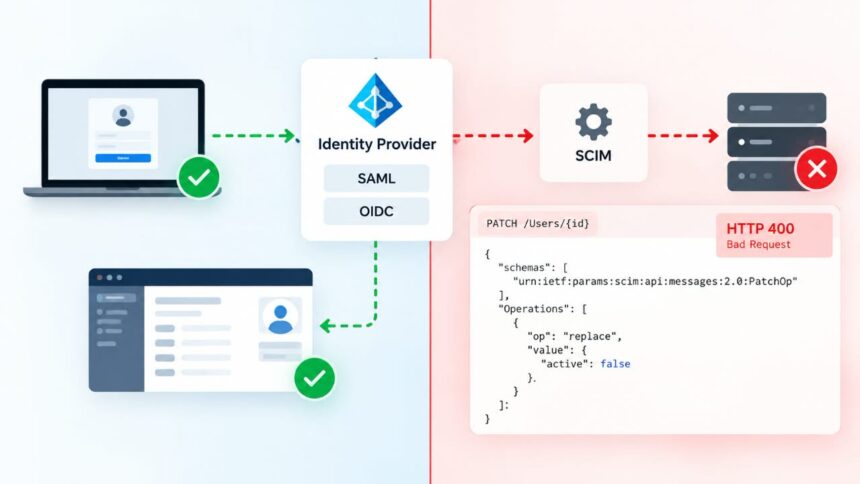
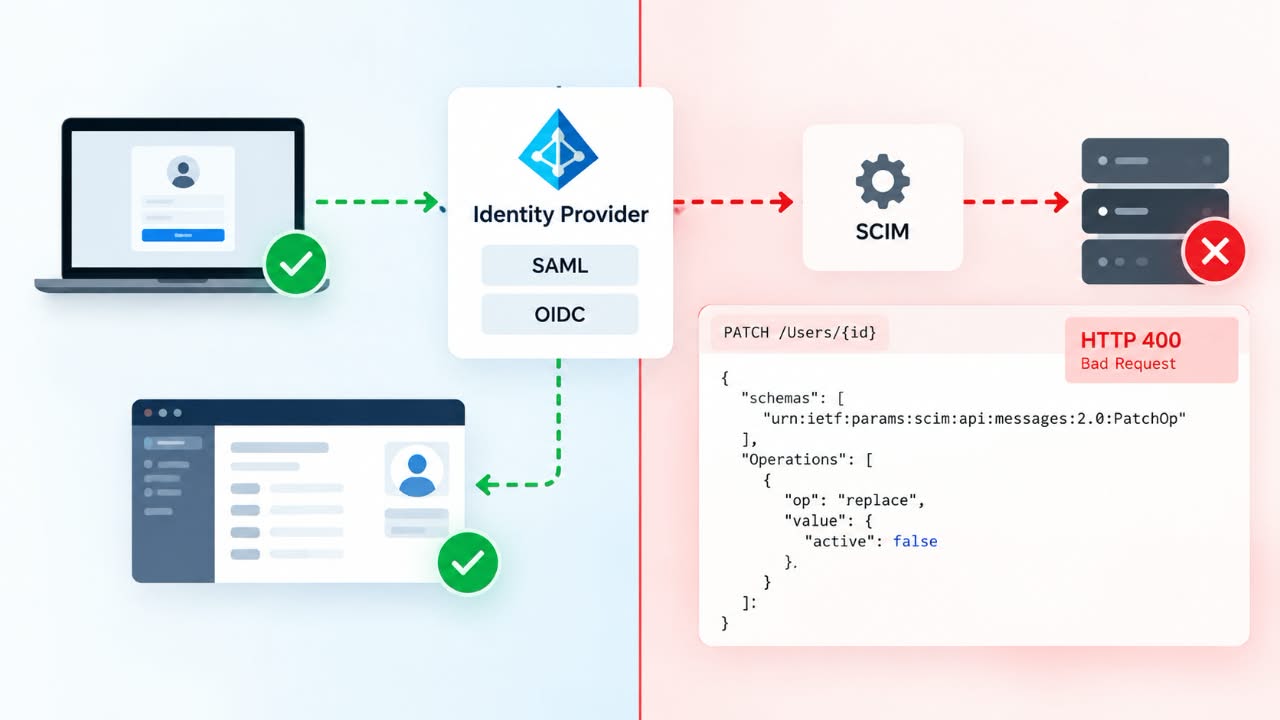
The most dangerous SCIM incident can begin with a green SSO test. A user can authenticate successfully through SAML or OIDC while the same employee remains active inside the application because the provisioning path is broken. SSO proves that authentication works; it does not prove that identity lifecycle management works.
SCIM runs through a separate API connection between an identity provider and the application. Its job is to create users, update their attributes, and change their lifecycle state. Microsoft Entra, for example, can disable a SCIM user by setting active=false, while Okta uses the same soft-deactivation model rather than simply deleting the account. (Microsoft Learn, Okta Developer)
That distinction explains a large class of “SCIM is working, but offboarding is not” incidents. In practice, the failure can sit in the trigger, scope, credentials, identity matching, request format, target API, or the application’s own session and authorization logic.
SSO and SCIM are two different control paths
A typical login looks roughly like this:
User → IdP → SAML/OIDC → Application → AuthenticationDeprovisioning is different:
Directory → IdP → SCIM client → SCIM API → Application user stateA certificate, SAML configuration, OIDC client, or login claim can therefore be perfectly healthy while a SCIM bearer token has expired or the SCIM endpoint rejects requests.
This is why “the user can still log in” is not enough evidence to diagnose a provisioning problem. The two paths have to be tested independently.
Deprovisioning usually does not mean DELETE
This is where many implementations go wrong. The SCIM RFC 7644 defines DELETE, but it also defines PATCH for partial resource updates. Okta’s current SCIM 2.0 documentation states that deactivation is normally performed by updating the user with active=false. Microsoft Entra describes the same soft-delete behavior for SCIM applications.
{
  "schemas": [
    "urn:ietf:params:scim:api:messages:2.0:PatchOp"
  ],
  "Operations": [
    {
      "op": "replace",
      "value": {
        "active": false
      }
    }
  ]
}
If your server only implements a hard-delete route and does not correctly process the expected update operation, an IdP can report a failed deprovision even though user creation works normally.
A valid PATCH can still fail
SCIM PATCH requests are atomic. According to RFC 7644, if one operation in the request fails, the resource must be restored and the request returns an error. That creates an ugly failure mode: the request can contain the correct deactivation instruction and still fail because of an unrelated attribute.
Auth0 documented a concrete example in which SCIM deprovisioning returned HTTP 400 because address fields were formatted incorrectly. Attributes such as streetAddress, city, and country were being sent in an incompatible form, causing the entire request to be rejected.
That is why I would not immediately assume that an active=false problem is actually an active problem. Inspect the entire request.
Microsoft Entra adds another layer of complexity
Entra can trigger deprovisioning when a user is unassigned from an application, becomes out of scope, is soft-deleted, or is permanently deleted. The resulting action can be a disable or a hard delete depending on the target application’s behavior.
There is also a configuration called SkipOutOfScopeDeletions. When enabled, users who leave provisioning scope are not disabled in the target application. The account can therefore remain active even though the administrator expects group or scope removal to trigger deprovisioning.
Microsoft also documents SCIM interoperability issues involving how Boolean values such as active are represented. A server expecting a JSON Boolean can behave differently when a client sends a string representation. This is a reminder that protocol compatibility has to be tested with the actual IdP, not just claimed on a product page.
Identity matching is another common failure point
SCIM needs a stable resource identifier. Okta’s documentation says the SCIM service provider must issue a unique, stable id for each resource. GitHub’s SCIM documentation adds another practical requirement: the SAML NameID and SCIM userName need to match so the authenticated identity can be linked to the provisioned account.
This becomes especially painful with legacy users. GitHub warns that users added manually instead of through SCIM may lack the correct SCIM linkage, which can later prevent automatic deprovisioning. The same general pattern appears in other identity platforms: accounts created before provisioning was configured often need separate attention.
Deactivated does not always mean inaccessible
Suppose the SCIM request succeeds and the application database now says:
active = falseThat still does not prove every access path has been shut down. Existing browser sessions, refresh tokens, API credentials, OAuth grants, or cached authorization may survive depending on the application’s design.
GitHub’s documentation makes the distinction particularly clear by separating soft deprovisioning from hard deprovisioning and documenting what happens to tokens, SSH keys, application authorizations, and other user resources.
So there are really two questions: Did SCIM change the account state? and Did the application revoke access? Those questions should never be collapsed into one.
How I would troubleshoot the failure
- Check the IdP event. Confirm that removing the user or group membership actually generated a provisioning/deprovisioning action.
- Inspect the exact HTTP request. Determine whether the client sent
PATCH,PUT, orDELETE, and inspect the complete payload. - Read the response code. A 401 suggests credentials, 403 authorization, 400 request or schema problems, 404 resource or endpoint issues, 429 throttling, and 5xx responses generally point toward the target service.
- Check the target database. Verify whether the user actually changed to
active=falseor was deleted. - Test access separately. Check existing sessions, tokens, SSO re-entry, and API credentials after deactivation.
The practical takeaway
When SSO works but SCIM deprovisioning fails, do not debug authentication first. Trace the lifecycle event from the identity provider to the SCIM request, then from the SCIM request to the application’s authorization layer.
The most reliable question is not “Is SCIM enabled?” It is: At exactly which step did the user’s source-of-truth state stop matching the target application’s access state?
Once you answer that, the troubleshooting path becomes considerably narrower—and much less guesswork.

Discover more from Aree Blog
Subscribe now to keep reading and get access to the full archive.